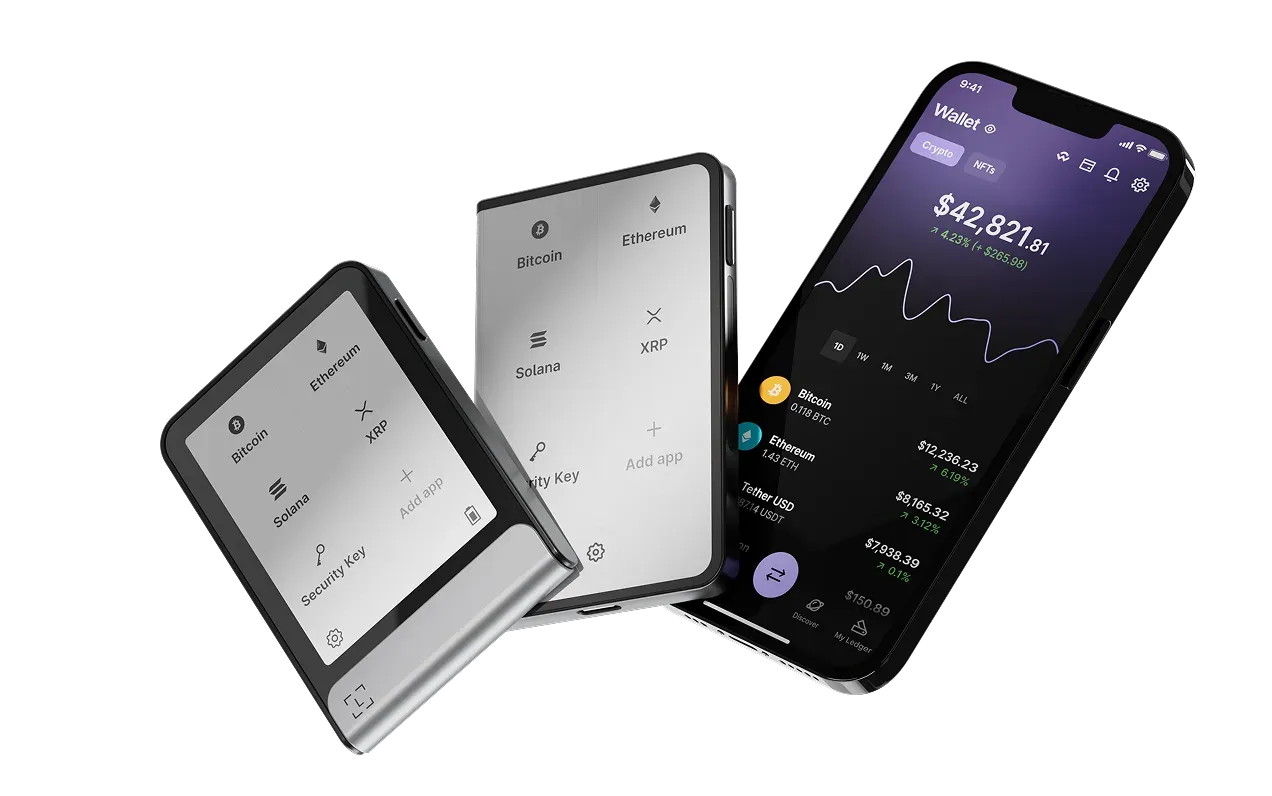
Ledger.com/start – Complete Guide to Setting Up Your Ledger Wallet
Getting started with a hardware wallet is an important step toward managing your cryptocurrency securely. Ledger.com/start is the starting point for users who want to learn how to connect their Ledger device, configure its security settings, and prepare it for managing digital assets. Whether you are a beginner or an experienced crypto user, understanding the setup process can make your experience easier and more secure.
This guide explains the essential steps, from connecting your device to creating a PIN and safely backing up your Secret Recovery Phrase.
Important Information
Always visit the official Ledger website to find genuine setup instructions and download the official Ledger Wallet application. This informational guide is independent and is not an official Ledger support page.
What Is Ledger.com/start?
Ledger.com/start is a starting point for users looking for Ledger device setup information. A Ledger hardware wallet helps users secure their private keys through dedicated hardware security. It allows users to manage supported cryptocurrencies while keeping control of their wallet credentials.
Before beginning, prepare your Ledger device, a compatible computer or smartphone, and a reliable internet connection. Make sure you have obtained your device from a trusted source and follow the instructions displayed on its screen.
How to Set Up Your Ledger Wallet
Setting up a Ledger device involves a few important steps. Follow the instructions carefully and take your time during the initial configuration.
1. Connect Your Ledger Device
Start by unpacking your Ledger hardware wallet and checking that the package and device appear as expected. Connect the device to your computer using a compatible USB cable or follow the supported wireless connection instructions for your model.
Turn on your device and read the welcome instructions displayed on its secure screen. Follow the prompts to begin the configuration process.
2. Download the Ledger Wallet Application
Install the official Ledger Wallet application on your compatible desktop or mobile device. Download it only through Ledger's official website or verified application stores.
Once installed, open the application and follow the on-screen instructions to connect your hardware wallet. The application provides an interface for managing supported crypto accounts and viewing transactions.
3. Create a Secure PIN
Your PIN protects physical access to your Ledger device. During the initial setup, the device will guide you through creating a PIN.
Choose a PIN between 4 and 8 digits.
Avoid predictable combinations such as 1234 or your birth date.
Never share your PIN with another person.
Confirm your selection directly on your device.
Choose a code that is difficult for others to guess but that you can remember.
Security Tip
Your PIN is an important part of device protection. Ledger devices reset after three consecutive incorrect PIN attempts, so keep your recovery backup safe.
4. Back Up Your Secret Recovery Phrase
During a new-device setup, your Ledger device generates a 24-word Secret Recovery Phrase. This phrase is essential because it can restore access to your crypto accounts if your device becomes unavailable.
Carefully write down all 24 words in the correct order on the supplied recovery sheet. Check each word before completing the confirmation process on your device.
Never:
Share your recovery phrase with anyone.
Photograph or screenshot your recovery words.
Save the phrase in email, cloud storage, or online documents.
Enter it into websites or computer applications.
Send it to anyone claiming to be Ledger Support.
Keep your physical backup in a private and secure location.
5. Complete the Initial Setup
After confirming your PIN and recovery backup, finish the remaining instructions displayed on your device. You can then explore the Ledger Wallet application, install supported blockchain applications, and add the cryptocurrency accounts you want to manage.
Always verify important transaction details directly on your Ledger device before approving them.
Important Ledger Wallet Security Practices
Security Practice Why It Matters
Use a strong PIN Helps prevent unauthorized device access
Protect your recovery phrase Prevents others from restoring your accounts
Download official software Reduces exposure to counterfeit applications
Verify transactions Helps identify incorrect transaction details
Keep software updated Provides access to supported improvements
Stay Alert Against Scams
Genuine Ledger Support will never ask you to disclose your 24-word Secret Recovery Phrase. Avoid suspicious links, unexpected messages, and websites requesting your recovery words.
Why Is Proper Ledger Setup Important?
Following the correct Ledger.com/start setup process helps users understand how hardware wallet security works. A properly configured device, a strong PIN, and a securely stored recovery backup are important parts of responsible cryptocurrency management.
Users should also learn how transaction verification works and regularly review official security announcements. Remember that hardware wallets help protect private keys, but they do not eliminate every risk associated with cryptocurrency.
Frequently Asked Questions
1. What is Ledger.com/start used for?
It is a starting point for users looking for Ledger wallet setup instructions and device configuration information.
2. How many digits should my Ledger PIN contain?
Ledger devices support a PIN between 4 and 8 digits. An 8-digit PIN can provide additional protection.
3. What is a Secret Recovery Phrase?
It is a 24-word backup generated by a new Ledger device that can be used to restore access to associated crypto accounts.
4. Can I store my recovery phrase on my phone?
No. Keep your recovery phrase offline and never save it in digital storage.
5. Where can I download Ledger Wallet?
Visit the official Ledger website at https://www.ledger.com/ to find the appropriate application download.
Conclusion
Getting started with Ledger.com/start is an opportunity to learn the fundamentals of hardware wallet security. By connecting your device correctly, creating a strong PIN, backing up your Secret Recovery Phrase, and following trusted setup instructions, you can establish a more secure foundation for managing your cryptocurrency. Take your time, verify every important step, and keep your recovery information private.
Disclaimer: This content is provided for general educational and informational purposes only. It is not financial advice or an official Ledger publication. Always consult Ledger's official documentation for the latest device-specific instructions.